Imagine orchestrating complex electronic systems, simulating intricate real-world conditions, or precisely testing advanced components – all with the click of a mouse. This isn't science fiction; it's the daily reality powered by sophisticated Waveform Generator Software & Interfacing. These digital tools transform abstract mathematical functions into tangible electrical signals, offering unparalleled control and flexibility that hardware alone simply can’t match.
At its core, waveform generation is about creating electrical signals with specific characteristics, but it's the software that truly unlocks the potential for innovation, allowing engineers, researchers, and hobbyists to design, manipulate, and deploy signals with astonishing precision and complexity.
At a Glance: Mastering Waveform Generation
- Software is the Brains: Dedicated software moves beyond fixed hardware functions, enabling custom signal design, complex modulation, and sophisticated sequencing.
- Interfacing is the Bridge: Robust communication protocols (USB, Ethernet, GPIB) and software drivers ensure seamless data flow between your computer and the physical generator.
- Design & Debugging Power: Software tools allow you to visualize waveforms, simulate their effects, and debug your designs before ever generating a physical signal.
- Automation & Reproducibility: Automate complex test sequences, ensure consistent results, and easily share precise signal definitions.
- Versatility Across Fields: Critical for everything from telecommunications and medical device testing to automotive electronics and quantum research.
Beyond the Dial: Why Software is the Brains of Modern Waveform Generation
For decades, hardware waveform generators were workhorses, reliable and essential for basic signal output. You'd turn a dial, push a button, and get a sine wave or a square wave. But the demands of modern electronics, communication systems, and scientific research quickly outpaced these traditional, often clunky, front-panel controls. The sheer complexity of signals needed today—think of the intricate pulse trains for radar, the modulated carriers for Wi-Fi, or the specialized arbitrary waveforms for material science—simply can’t be programmed efficiently, or sometimes even at all, without a powerful software interface.
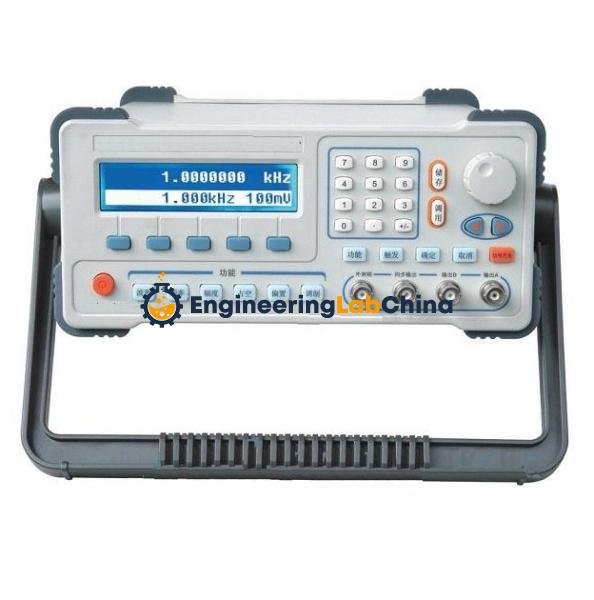
This is where software steps in as the true game-changer. It moves the intelligence from fixed circuitry into a flexible, programmable environment. Instead of wrestling with a small LCD screen and a few buttons, you’re leveraging the processing power, graphical capabilities, and expansive memory of a modern computer. This shift means faster design cycles, more accurate signals, and the ability to adapt to new requirements without needing entirely new hardware. If you're looking to understand the foundational hardware behind this, you can Learn about waveform generators.
Decoding the Digital Maestro: What Waveform Generator Software Truly Does
Waveform generator software isn't just a remote control for your hardware; it's a sophisticated design and control environment. It empowers you to go far beyond simple signal types, building a truly custom digital waveform from the ground up or modifying existing ones with incredible granularity.
Key Software Functionalities:
- Waveform Design & Creation:
- Standard Functions: Generate basic sine, square, triangle, ramp, and pulse waveforms with precise control over frequency, amplitude, offset, and phase.
- Arbitrary Waveforms (AWG): The true power lies here. You can draw, import from data files (CSV, MATLAB, etc.), or mathematically define any waveform shape imaginable, point by point. This is crucial for simulating real-world sensor data, recreating corrupted signals, or developing new communication protocols.
- Waveform Libraries: Many software packages include libraries of common or industry-standard waveforms, like those for specific communication standards (e.g., QAM, FSK).
- Modulation Schemes:
- Apply various modulation techniques (AM, FM, PM, FSK, PSK, QAM) directly within the software, allowing you to simulate complex data transmission scenarios. You can define carrier frequencies, modulation depths, and data patterns with ease.
- Sequencing & Scripting:
- Combine multiple waveforms into complex sequences, define triggers, loops, and conditional jumps. This is essential for automated testing, where a series of specific signals must be generated in a precise order, often based on external feedback.
- Many platforms offer scripting capabilities (e.g., Python, C#, LabVIEW) for even more advanced, programmatic control over the generator.
- Visualization & Analysis:
- Graphical interfaces allow you to see your waveform designs before they're generated, spotting potential issues and fine-tuning parameters.
- Some advanced software includes basic analysis tools to evaluate signal integrity or frequency content.
- Data Management:
- Save, load, and share waveform definitions easily, ensuring reproducibility across tests and teams. This eliminates the "tribal knowledge" often associated with hardware-only setups.
Take, for example, designing a custom biomedical pulse sequence for stimulating a tissue sample. You need precise amplitudes, durations, and delays, with potentially non-linear ramps. Hardware alone would be a nightmare of manual adjustments; with software, you define the points, visualize the pulse, and push it to the generator, confident in its accuracy.
The Interfacing Imperative: Connecting Software to the Physical World
Powerful software is only half the equation; it needs a robust, reliable bridge to command the physical waveform generator. This "interfacing" aspect is about the communication protocols, drivers, and application programming interfaces (APIs) that enable your computer to speak to and control the hardware. Without seamless interfacing, even the most sophisticated software remains an isolated digital island.
Common Interfacing Technologies:
- USB (Universal Serial Bus): Ubiquitous and convenient for many benchtop instruments. It's plug-and-play, relatively fast, and ideal for single-instrument setups or smaller systems.
- Ethernet/LAN (Local Area Network): Offers high data transfer rates, networkability, and the ability to control instruments remotely over longer distances. Many modern generators include an Ethernet port for IP-based communication.
- GPIB (General Purpose Interface Bus - IEEE-488): A venerable standard, still widely used in industrial and academic labs for connecting multiple test instruments in a rack-and-stack setup. While slower than modern alternatives, its reliability and widespread adoption keep it relevant.
- PCI/PCIe (Peripheral Component Interconnect/Express): For high-speed, high-bandwidth applications, especially within PC-based data acquisition (DAQ) systems. These internal bus interfaces offer minimal latency and direct access to system resources, making them perfect for real-time control and very fast waveform updates. Many DAQ and control solutions, like those offered by Contec, leverage these internal buses for peak performance.
- PXI/PXIe (PCI eXtensions for Instrumentation): A modular, rugged platform built on PCIe, designed specifically for test and measurement. PXI systems house multiple instrument modules (including waveform generators) that communicate over a shared backplane, offering tight synchronization and high channel density—a crucial factor in complex automated test equipment (ATE).
The Software Side of Interfacing:
- Instrument Drivers: These are the essential pieces of software that translate generic commands from your application into specific instructions that your particular waveform generator hardware understands. Think of them as the language translator. Industry standards like IVi (Interchangeable Virtual Instrument) and VISA (Virtual Instrument Software Architecture) simplify driver development and allow for interchangeable instruments from different vendors.
- APIs (Application Programming Interfaces) & SDKs (Software Development Kits): For developers, APIs and SDKs provide a programmatic way to interact with the instrument. You can write custom code in languages like Python, C++, or C# to control the generator, integrating its functions directly into your larger control or analysis applications. This is invaluable for creating highly customized, automated test benches.
Choosing the right interface depends heavily on your application's requirements for speed, distance, number of instruments, and integration complexity. A simple USB connection might suffice for a single benchtop experiment, while a PXI system with Ethernet control would be ideal for a high-throughput manufacturing test line.
Architecting Your Signal Ecosystem: Types of Waveform Generator Software
Just as there are different needs for signal generation, there are diverse software solutions to meet them. Understanding these categories helps you pinpoint the right tool for your specific application.
1. Stand-alone Desktop Applications (Proprietary)
These are the graphical user interface (GUI) driven applications provided by instrument manufacturers (like Tektronix or Keysight) or third-party vendors. They are designed for ease of use, offering intuitive drag-and-drop interfaces, visual waveform editors, and often extensive pre-programmed functions.
- Pros: User-friendly, often optimized for specific hardware, rich feature sets for common tasks, good for quick setup and manual operation.
- Cons: Can be proprietary and locked into certain hardware, may lack deep customization options for advanced scripting, potentially higher cost.
- Best For: Benchtop testing, educational labs, R&D environments where visual interaction and rapid prototyping are key.
2. Programming Libraries & APIs (Developer-Focused)
These solutions provide a set of functions or objects that allow you to control waveform generators directly from a programming language environment. Popular choices include Python, C/C++, MATLAB, and LabVIEW.
- Pros: Ultimate flexibility and customization, seamless integration into larger software frameworks, ideal for automation, complex data processing, and highly specialized applications.
- Cons: Requires programming expertise, steeper learning curve, less visual interaction for design.
- Best For: Automated test equipment (ATE), complex research setups, custom control systems, scenarios requiring integration with data analysis or machine learning pipelines.
3. Web-based/Cloud Solutions
An emerging category, these allow you to control instruments via a web browser, often with cloud-based data storage and processing. This enables remote access, collaborative work, and potentially distributed test setups.
- Pros: Remote access, platform-agnostic (browser-based), potential for collaborative design and shared resources, scalability for data.
- Cons: Latency can be a factor, security concerns with cloud data, internet connectivity required.
- Best For: Distributed teams, remote monitoring, scenarios where physical access to the instrument is limited, IoT integration.
4. Integrated DAQ Software Platforms
Often accompanying Data Acquisition (DAQ) systems, this software not only handles signal generation but also simultaneous signal acquisition, analysis, and control from a single environment. Solutions like those seen with Contec often provide a unified platform for both input and output.
- Pros: Synergistic with data acquisition, ideal for closed-loop control systems, streamlined workflow for complex measurement and generation tasks, often highly optimized for specific hardware ecosystems.
- Cons: Can be highly specialized and expensive, might have a steeper learning curve due to the breadth of features.
- Best For: Real-time control systems, hardware-in-the-loop (HIL) simulations, complex embedded system testing, industrial automation.
When choosing, consider your existing ecosystem, your team's technical skills, and the long-term flexibility you'll need. A simple GUI might be perfect for immediate tasks, but an API-driven approach will offer far more power for future automation and integration.
Crafting the Perfect Signal: A Practical Workflow for Waveform Generation
Generating a precise and effective waveform involves more than just plugging in a device. It's a structured process that ensures your signal achieves its intended purpose, whether it's testing a component or simulating a complex environment.
Step 1: Define Your Signal Needs
Before touching any software, clarify what you need the signal to do.
- What type of waveform? (Sine, square, pulse, arbitrary, modulated?)
- Key parameters? (Frequency, amplitude, offset, phase, rise/fall times, data rate, modulation index?)
- Duration? (Single pulse, continuous, burst?)
- Sequence? (Does it need to change over time or in response to an event?)
- Output requirements? (Voltage level, impedance, maximum current?)
- Environmental simulation? (Noise, distortion, specific data patterns?)
Micro-example: You need to simulate a faulty sensor's output—a 100 Hz sine wave, but with random amplitude fluctuations of +/- 5% every 500 ms, for a total of 10 seconds.
Step 2: Choose Your Software & Hardware
Based on Step 1, select the appropriate waveform generator and its accompanying software. If you need arbitrary waveforms, ensure both the hardware and software support it with sufficient memory and sample rate. If automation is key, look for robust API support.
Step 3: Design & Generate the Waveform in Software
This is where the digital magic happens.
- Open the Software: Launch your chosen waveform generator application or begin writing your script.
- Define Basic Parameters: Start with the fundamental waveform type (e.g., sine wave, 100 Hz, 1Vpk-pk).
- Add Complexity (if needed):
- For an arbitrary waveform, you might import a CSV file of data points, draw it graphically, or use mathematical functions to define its shape. For our faulty sensor example, you'd generate the 100 Hz sine wave, then programmatically overlay a random amplitude variation at 500ms intervals using the software's sequencing or scripting capabilities.
- Apply modulation (AM, FM, etc.) if required for communication signals.
- Create a sequence of different waveforms with specific timing and triggers.
- Visualize & Verify: Use the software's display to ensure the waveform looks exactly as intended. Many tools offer simulation modes to check parameters before sending to hardware.
- Configure Hardware Settings: Within the software, specify output channels, voltage ranges, and any necessary filters.
Step 4: Interfacing & Execution
Connect your waveform generator to your computer via the chosen interface (USB, Ethernet, etc.).
- Load Waveform: "Download" or "send" the designed waveform from the software to the generator's internal memory.
- Connect Output: Physically connect the generator's output to your device under test (DUT). Ensure proper impedance matching and cabling.
- Execute: Trigger the waveform generation from the software. This could be a continuous output, a single burst, or a complex sequence controlled by external triggers.
Step 5: Monitor & Analyze
Observe the generated signal on an oscilloscope or spectrum analyzer connected to the DUT. Compare it against your design specifications to ensure accuracy. If issues arise, return to the software to refine the waveform design or hardware settings. This iterative process is key to achieving optimal results.
Choosing Your Digital Canvas: Key Considerations for Software Selection
Picking the right waveform generator software isn't a one-size-fits-all decision. Your specific application, budget, and technical expertise will heavily influence your choice. Here’s what to ponder:
1. Performance & Specifications
- Waveform Complexity: Do you need simple standard functions or highly complex arbitrary waveforms? Ensure the software and associated hardware support the required sample rate, vertical resolution (bit depth), and memory depth for your desired waveform fidelity.
- Frequency Range & Bandwidth: Does the software allow control over the full frequency range of your hardware? Can it handle the necessary bandwidth for modulated signals?
- Channel Count: If you need synchronized multi-channel output, ensure the software can manage multiple generator channels simultaneously.
2. Compatibility & Integration
- Hardware Compatibility: The most crucial factor. Does the software specifically support your make and model of waveform generator? (Many manufacturers provide their own software).
- Operating System: Is the software compatible with your operating system (Windows, Linux, macOS)?
- Ecosystem Integration: Does it integrate well with other tools you use, such as data acquisition systems, analysis software (e.g., MATLAB, LabVIEW), or custom programming environments? Seamless integration reduces workflow friction.
3. Ease of Use vs. Flexibility
- GUI Usability: For quick setups and less frequent use, an intuitive graphical interface is paramount. Look for clear layouts, visual waveform editors, and drag-and-drop functionality.
- Programming/Scripting Capability: If you need automation, complex sequencing, or custom algorithms, robust API/SDK support for languages like Python, C++, or LabVIEW is essential. Consider the learning curve for these environments.
- Documentation & Support: Good documentation and readily available technical support can make a huge difference, especially with more complex software or when troubleshooting.
4. Cost & Licensing
- Upfront Cost: Proprietary software can be expensive, often bundled with hardware or sold as separate licenses.
- Maintenance & Updates: Are there ongoing subscription fees or costs for major version upgrades?
- Open-Source Alternatives: For certain applications, open-source libraries (e.g., for Python) might offer a lower-cost, highly customizable alternative, though they typically require more programming effort.
- Licensing Models: Understand if licenses are per-user, per-device, or site-wide.
5. Advanced Features
- Real-time Control: Can the software respond dynamically to external events or feedback?
- Arbitrary Waveform Editor: How advanced is the editor? Does it offer interpolation, filtering, and easy import/export of data?
- Modulation Support: Does it offer a wide range of modulation types with fine control over parameters?
- Sequencing/Pattern Editor: For complex test scenarios, a powerful sequence editor with conditional branching and looping is vital.
By systematically evaluating these factors against your project requirements, you can select waveform generator software that not only meets your current needs but also provides the flexibility for future expansion.
Common Challenges & Smart Solutions
Even with powerful software and hardware, challenges can arise. Knowing how to anticipate and address them can save significant time and frustration.
1. Synchronization Issues
- Problem: Waveforms from multiple channels or instruments don't align precisely in time, leading to phase errors or skewed data.
- Solution: Leverage instrument features like shared clock sources (e.g., 10 MHz reference inputs), common trigger lines (PXI systems excel at this), or timestamping capabilities. Ensure your software setup correctly configures these synchronization parameters. For highly critical applications, invest in instruments designed for multi-channel synchronization, like those found in modular PXI platforms.
2. Data Transfer Bottlenecks
- Problem: Slow data transfer between the computer and generator, leading to choppy waveforms or inability to update arbitrary waveforms at the desired rate.
- Solution: Optimize your interface. If using USB, consider USB 3.0. For higher throughput, switch to Ethernet or, for the highest speeds and lowest latency, PCIe/PXIe-based instruments. Ensure your computer's drivers and hardware are up-to-date and correctly configured for the chosen interface. Reduce the data size of arbitrary waveforms if possible without sacrificing fidelity.
3. Steeper Learning Curve
- Problem: Complex software, especially API-driven solutions, can be intimidating for new users.
- Solution: Start with manufacturer-provided examples and tutorials. Many vendors offer comprehensive online documentation and community forums. For API-based programming, begin with simple script snippets to get basic functions working before building complex applications. Consider online courses or workshops for specific software platforms like LabVIEW or Python instrument control libraries.
4. Signal Fidelity & Distortion
- Problem: The actual generated signal doesn't perfectly match the designed waveform, showing unexpected noise, harmonics, or distortions.
- Solution: Check the hardware specifications (output impedance, bandwidth, linearity) to ensure it can reproduce your desired waveform. Verify cabling and connections—poor quality cables can introduce noise. In the software, ensure you're not trying to generate frequencies or amplitudes beyond the instrument's capabilities. Use signal conditioning (e.g., external filters or amplifiers) if the generator's raw output isn't clean enough for your application. Some software allows for pre-compensation to counteract known hardware non-linearities.
5. Compatibility Headaches
- Problem: Software won't recognize the hardware, or specific features aren't working despite correct connections.
- Solution: Always verify the instrument driver installation and ensure it's the correct version for both your operating system and the specific hardware model. Check that any necessary runtime engines (like NI-VISA or IVi Foundation Class Libraries) are installed. Firewall settings can sometimes block network-based instrument communication (Ethernet); temporarily disable them for testing, then configure exceptions.
By systematically troubleshooting and understanding the interplay between software, drivers, interfaces, and hardware, you can overcome most waveform generation challenges and achieve reliable, high-fidelity signal output.
Beyond the Basics: Advanced Applications & Future Trends
The world of waveform generation is constantly evolving, pushing the boundaries of what's possible in diverse fields. Waveform generator software and sophisticated interfacing are at the heart of these advancements.
1. Real-Time Control & Hardware-in-the-Loop (HIL) Simulation
In applications like automotive, aerospace, and robotics, you often need to simulate a system's environment to test its controllers. HIL systems use waveform generators to mimic sensor outputs, engine signals, or network traffic, while simultaneously acquiring the controller's responses. The software here is critical for generating dynamic, adaptive signals in real-time, effectively tricking the controller into believing it's interacting with the physical world. This drastically reduces development time and costs by allowing rigorous testing without building costly prototypes.
2. Quantum Computing & Advanced Physics Research
The cutting edge of quantum computing relies on exquisitely precise control of quantum bits (qubits). This often involves generating highly complex microwave and radio frequency pulse sequences with picosecond-level timing accuracy and extremely low noise. Specialized waveform generator software, often integrated with custom control systems, is essential for designing these intricate pulse envelopes and ensuring their synchronized delivery to qubits, a demanding task that pushes current technology to its limits.
3. Automated Test Equipment (ATE) for Manufacturing
In high-volume manufacturing, every product needs testing. ATE systems utilize waveform generators, controlled by software, to inject specific signals into devices on an assembly line. This software orchestrates entire test sequences, compares responses against golden standards, and logs data—all automatically. This ensures quality control, detects defects early, and dramatically increases production throughput.
4. Next-Gen Wireless Communication & Radar
Developing 5G, 6G, and advanced radar systems requires generating incredibly complex modulated waveforms with high bandwidth and multiple spatial streams (MIMO). Waveform generator software is indispensable for creating these signals, simulating various channel conditions, and testing transceiver performance under realistic scenarios. This includes generating custom OFDM, massive MIMO, and beamforming signals to validate new communication standards.
Future Trends:
- AI/ML Integration: Expect to see more AI and machine learning integrated into waveform generation software. This could lead to intelligent signal optimization, predictive fault injection (generating signals that expose specific vulnerabilities), or even generative models that design novel waveforms for specific applications.
- Cloud-Native Instrument Control: The shift towards cloud computing will bring more web-based, cloud-native solutions for instrument control, enabling distributed test labs, collaborative design, and potentially "instrument-as-a-service" models.
- Software-Defined Instruments (SDIs): The trend is towards instruments whose core functionality is defined and updated entirely by software, allowing for unprecedented flexibility and adaptability without hardware changes. Waveform generators will increasingly become "signal processors" driven by highly configurable software architectures.
These advancements underscore the growing importance of sophisticated waveform generator software and robust interfacing. They are not just tools; they are enablers of innovation, pushing the boundaries of scientific discovery and technological progress across virtually every engineering discipline.
Waveform Generator Software & Interfacing: Your Questions Answered
Navigating the world of signal generation can bring up a few common questions. Here are crisp answers to some of the most frequent ones:
What's the difference between a signal generator and a waveform generator?
Often used interchangeably, but there's a distinction. A signal generator (or function generator) typically produces standard, repeating waveforms like sine, square, and triangle waves. A waveform generator is a broader term, encompassing signal generators but emphasizing its ability to create arbitrary waveforms (AWG)—complex, non-repeating, user-defined signals. All waveform generators can act as signal generators, but not all signal generators can create arbitrary waveforms.
Can I use open-source software for waveform generation?
Absolutely, yes! Libraries in languages like Python (e.g., PyVISA, instrument-specific drivers) allow you to control a wide range of waveform generators. While they might require more programming effort than proprietary GUIs, they offer immense flexibility, cost savings, and integration with other open-source tools for data analysis and visualization. Many academic and hobbyist projects leverage these tools effectively.
Is it hard to learn waveform generator software?
It depends on the software and your goals. Basic use of a manufacturer's GUI for standard waveforms is usually quite intuitive. Learning to program complex arbitrary waveforms, sequences, or integrate with APIs will require more time and potentially programming skills. However, with good documentation and a structured approach, most engineers and technicians can become proficient. Start simple, explore examples, and build complexity gradually.
What is arbitrary waveform generation (AWG)?
Arbitrary waveform generation (AWG) is the ability to create virtually any electrical waveform shape you can imagine. Instead of being limited to predefined functions (sine, square), an AWG allows you to define the waveform point by point, either by drawing it, importing a dataset (e.g., from a simulation or recorded signal), or defining it mathematically. This is crucial for simulating real-world signals, testing complex communication protocols, or precise control in scientific experiments.
Do I need dedicated hardware, or can I generate waveforms with just software?
To generate a physical electrical signal that interacts with real-world circuits, you need dedicated hardware. Software alone can design and simulate waveforms on your computer screen, but it requires a waveform generator (either a standalone instrument or a DAQ card with analog output capabilities) to convert that digital design into a tangible analog signal. The software acts as the brain, the hardware as the voice.
Empowering Innovation: Taking Control with Software-Defined Signals
The journey from a simple concept to a precisely engineered electrical signal is now more accessible and powerful than ever, thanks to the synergy of Waveform Generator Software & Interfacing. No longer confined to the limitations of fixed hardware, you wield the power to design, manipulate, and deploy signals with unprecedented agility and accuracy.
Whether you're developing the next generation of wireless communication, pushing the boundaries of scientific research, or simply validating a new sensor design, understanding and leveraging these sophisticated digital tools is paramount. They empower you to automate tedious tasks, achieve consistent and repeatable results, and bring your most intricate ideas to life in the physical world. Embrace the digital control, and unlock a new era of innovation in your field.